Simulator Admin Reference
This document has the reference for all of the admin views supported by tmtility when in simulator mode. Each view has the name of the view, navigation buttons, and the release version at the top of the view. Admin Guide can be clicked to see the top level of this documentation.

Simulator mode view heading
Simulations view
Simulations view is used to configure the simulations that are supported by the system.
- Name:
name of simulation
- Description:
description of simulation
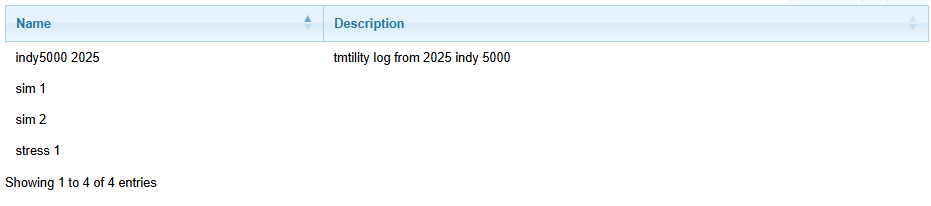
Simulations view
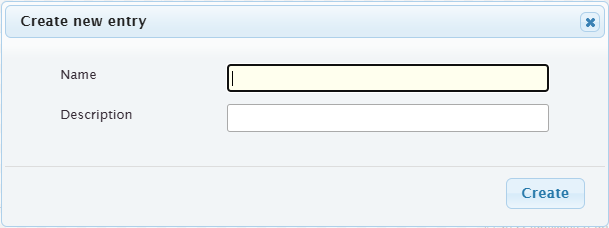
Create new simulation (click New)
Simulation Events view
Simulation Events view is used to configure the events which are to be simulated by a given simulation. The primary way to add events is through import of a csv file which contains the event definitions, or a log file created by tmtility.
- Name:
name of simulation
- Description:
description of simulation
The view has the following controls:
- Import:
import a csv file containing event definitions or txt file containing logging output from a tmtility session (if a csv file, it must contain the column headings time, etype [“timemachine” or “scan”], and bibno)
- CSV:
create a csv file from the records which are shown only
The view has the following filters:
- Simulation:
name of the simulation to show events for
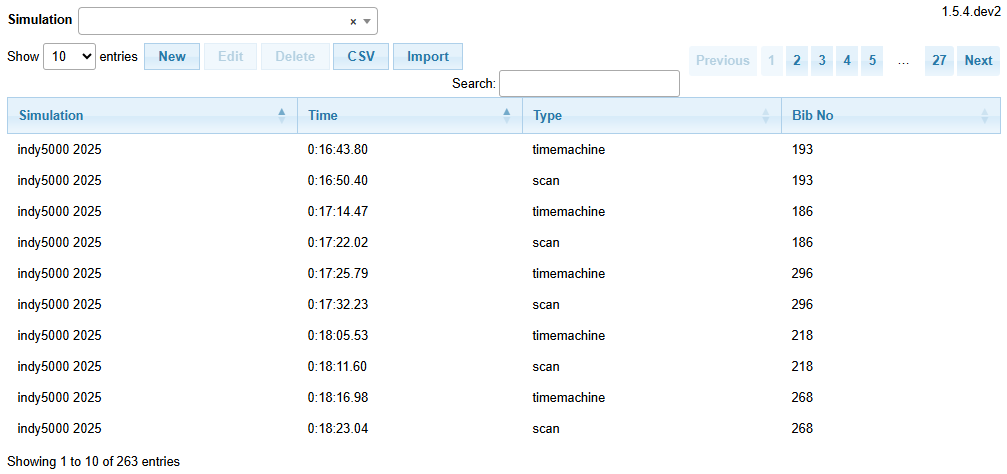
Simulation Events view
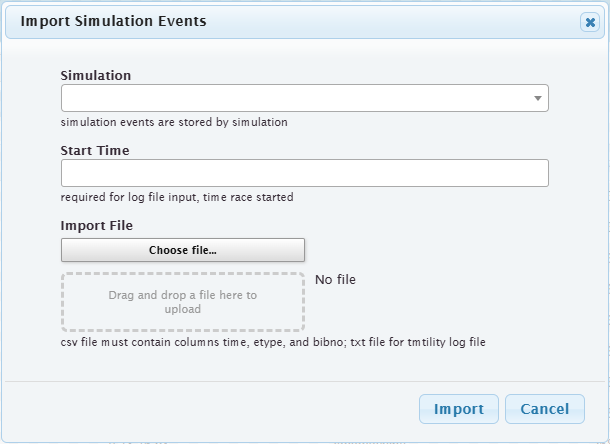
Import file for Simulation Events
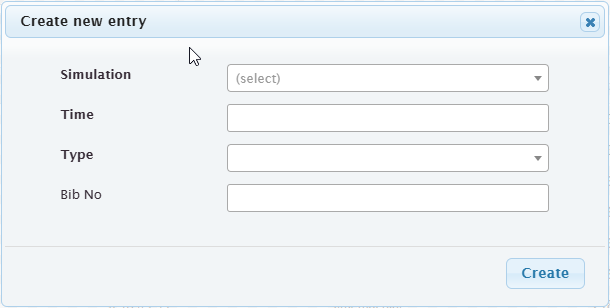
Create Simulation Event (click New)
Simulation Expected Results view
Simulation Expected Results view is used to configure the expected results for a given simulation. The primary way to add expected results is through import of a csv file which contains the expected results definitions.
- Simulation:
name of simulation
- Order:
order of this expected result in the simulation
- Bib No:
bib number expected for this result
- Time:
time from start of simulation expected for this result
- Epsilon:
allowable time difference for this result
The view has the following controls:
- Import:
import a csv file containing expected results definitions (the csv file must contain the column headings order, time, and bibno, and optionally epsilon)
- CSV:
create a csv file from the records which are shown only
The view has the following filters:
- Simulation:
name of the simulation to show expected results for
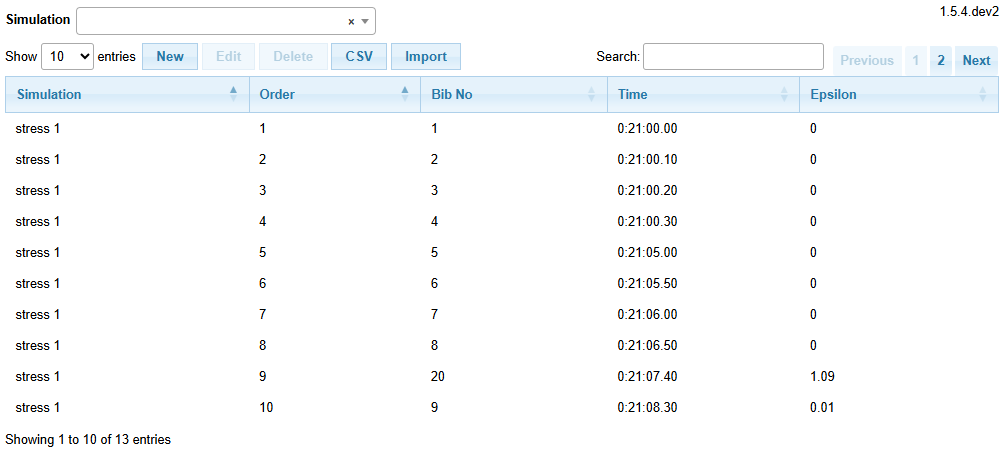
Simulation Expected Results view
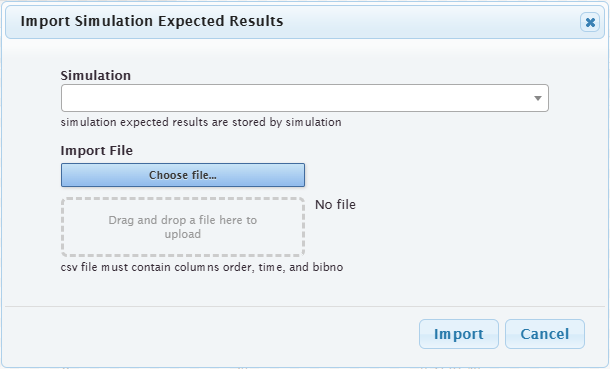
Import file for Simulation Expected Results
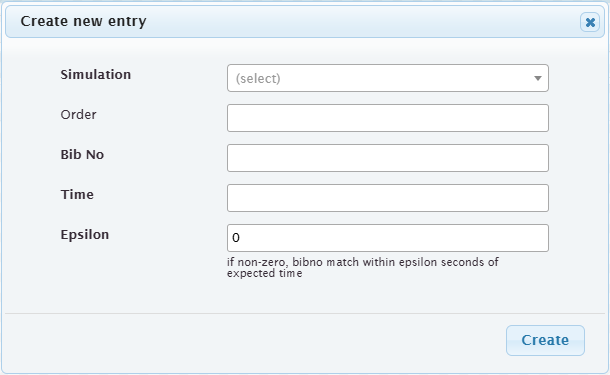
Create Simulation Expected Result (click New)
Simulation Run view
Simulation Run view is used to view the simulation runs which were executed.
- User:
user who executed the simulation
- Simulation:
name of simulation
- Race Start Time:
simulated raced start time
- Time Started:
actual time the simulation run was started
- Time Ended:
actual time the simulation run ended
- Score:
score achievied for the simulation run
The view has the following controls:
- CSV:
create a csv file from the records which are shown only
The view has the following filters:
- User:
user who executed the simulation
- Simulation:
name of simulation
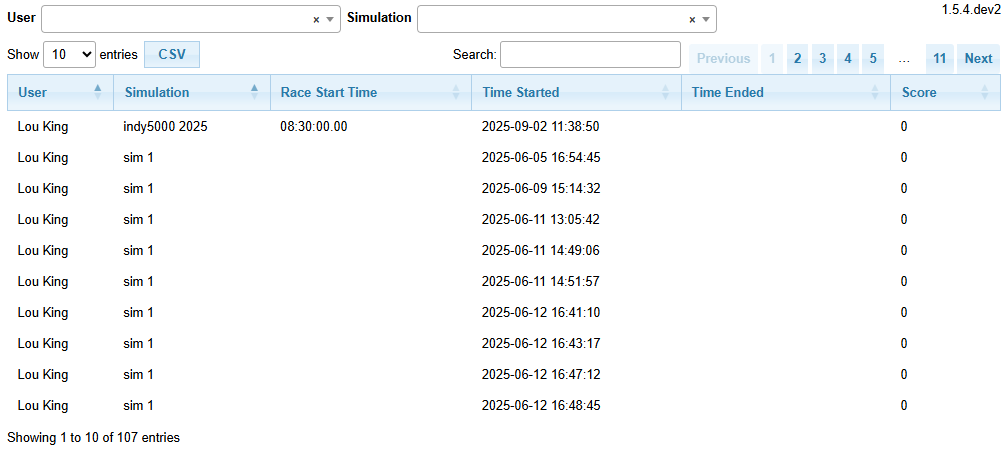
Simulation Run view
Simulation Run Results view
Simulation Run Results view is used to view the individual result entries for a simulation run.
- User Sim Start:
shows the start time, user, and simulation name for the simulation run
- Order:
shows the order that this result occurred in the simulation run
- Time:
the simulated time from the beginning of the run for this result
- Bib No:
the bib number which was recorded for this result
- Correct:
true if this result was correct, false if there was an error
The view has the following controls:
- CSV:
create a csv file from the records which are shown only
The view has the following filters:
- Run:
start time, user, simulation name to filter results for
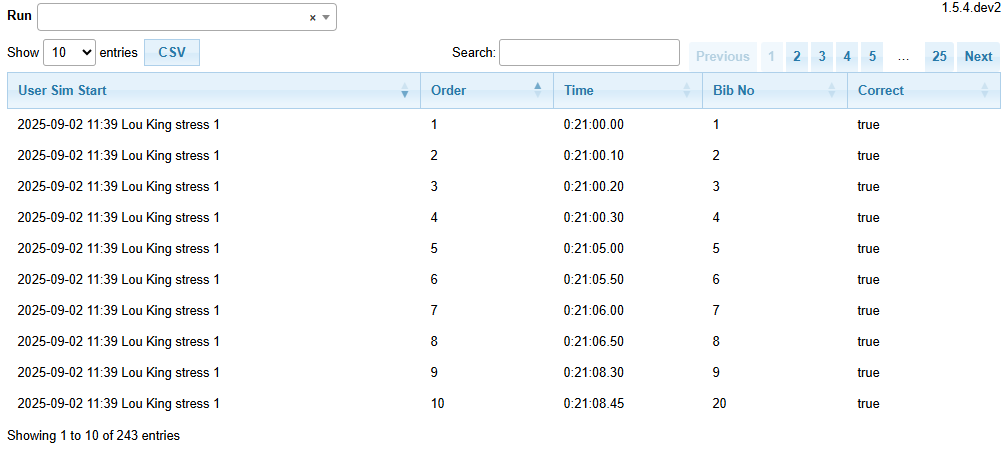
Simulation Run Results view